EcomLit guide
Create an order for a customer yourself (in person, WhatsApp, etc.).
Steps
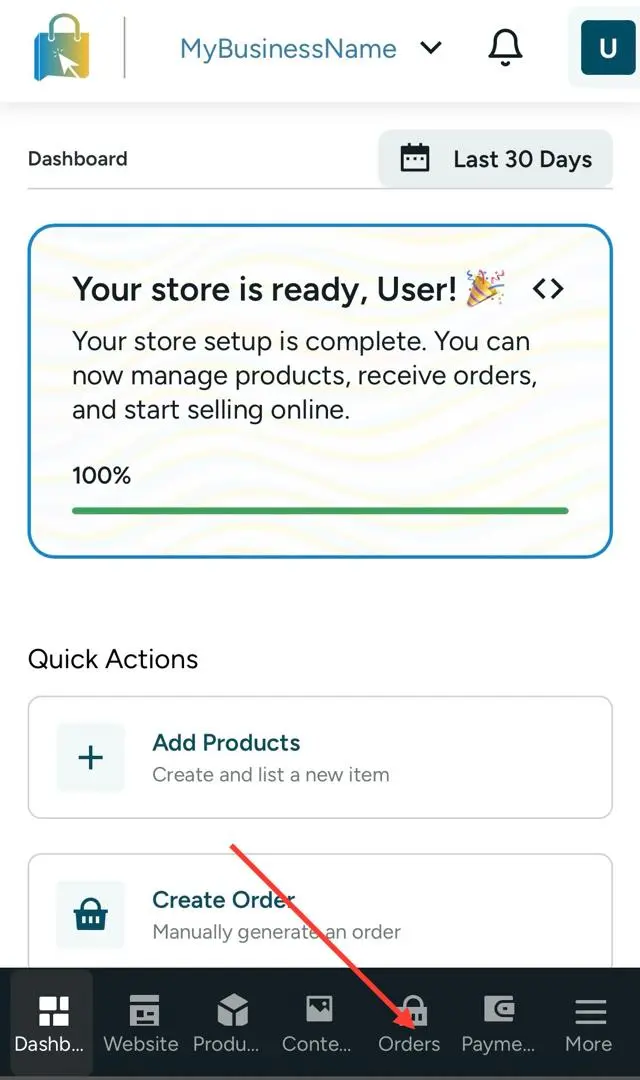
Open Orders.
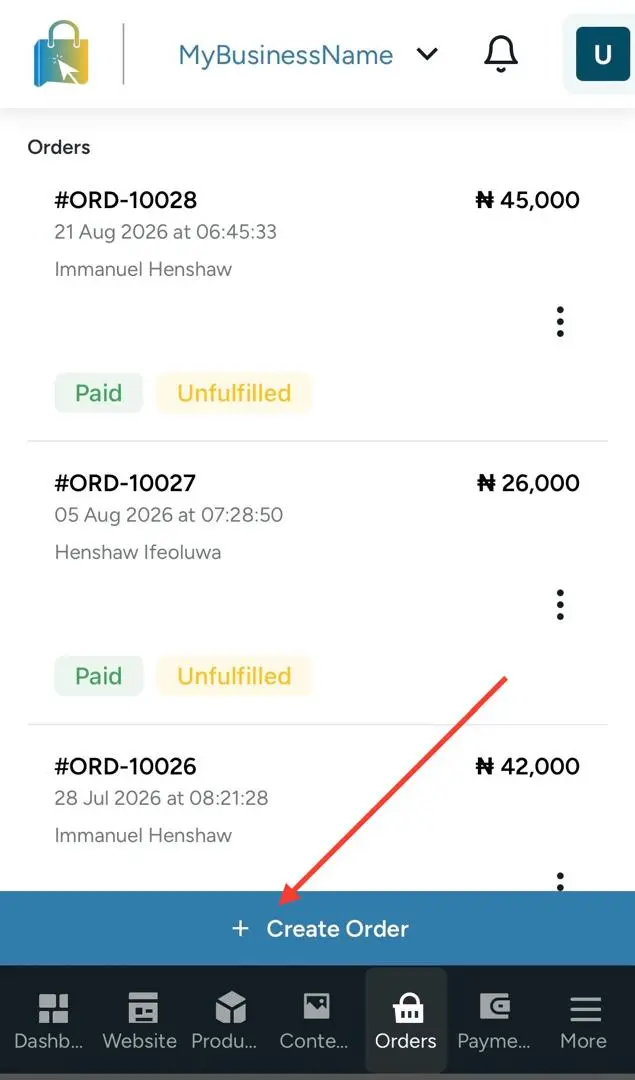
Select Create order.
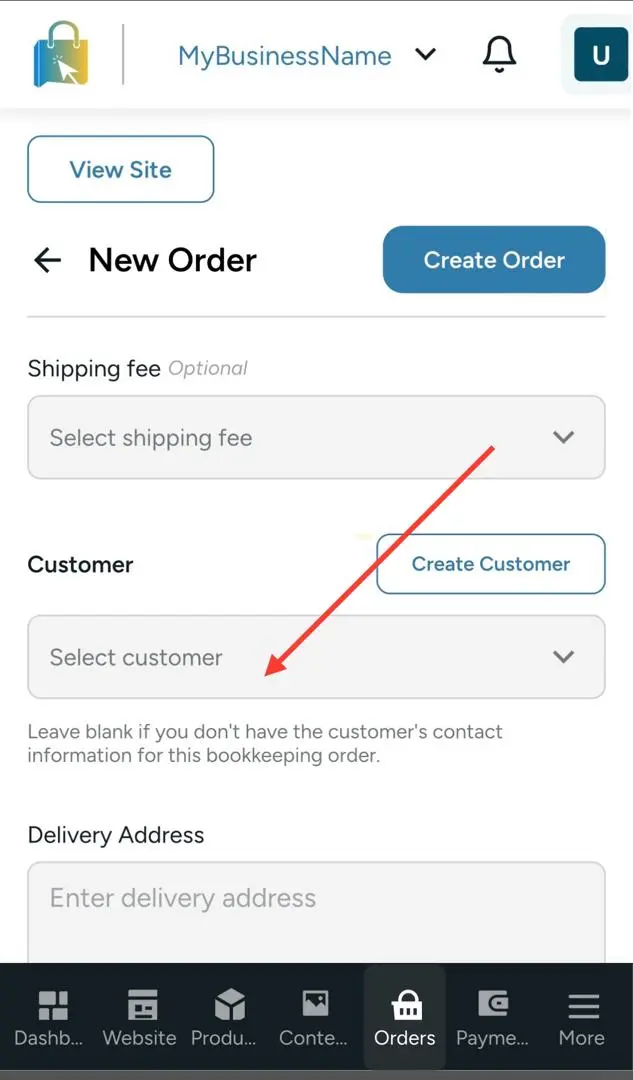
Choose the customer (or add their details).
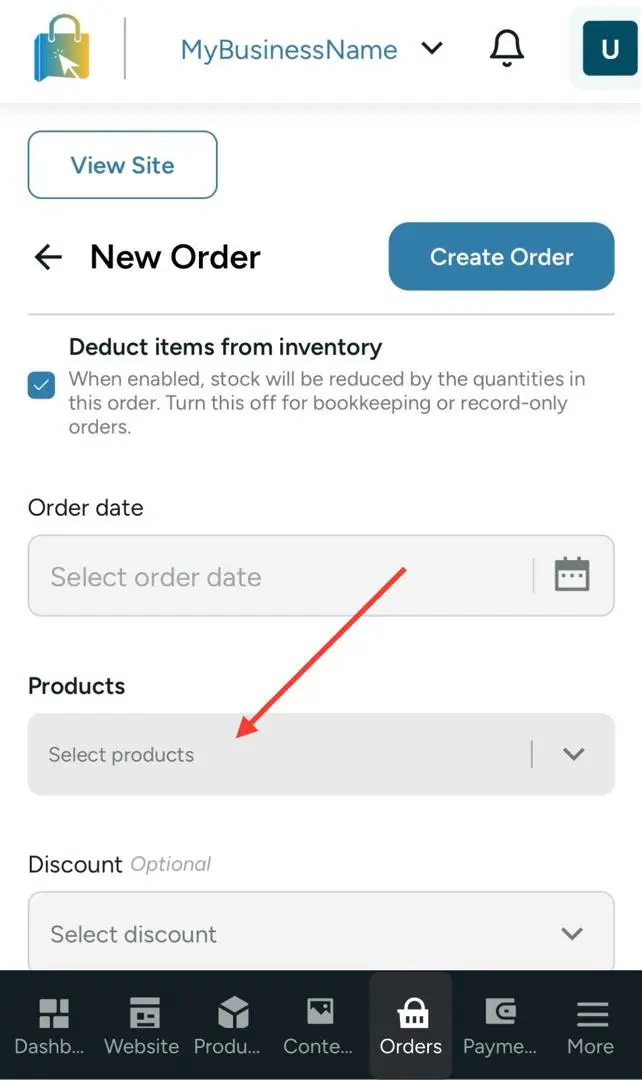
Add products and quantities.
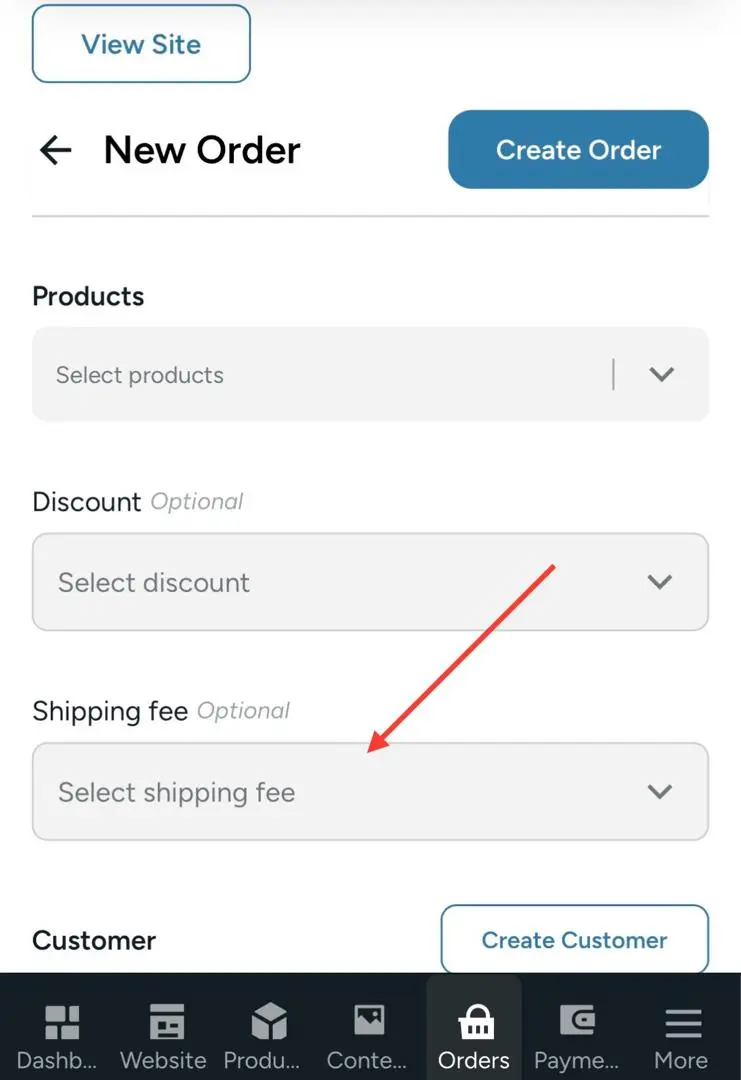
Choose shipping or pickup and enter the shipping fee if needed.
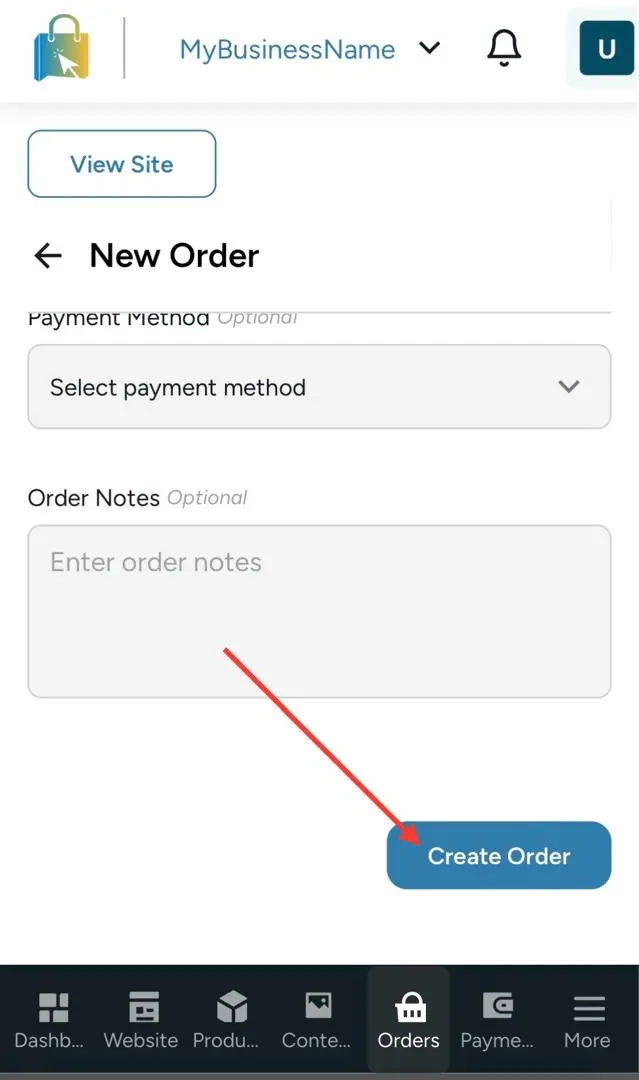
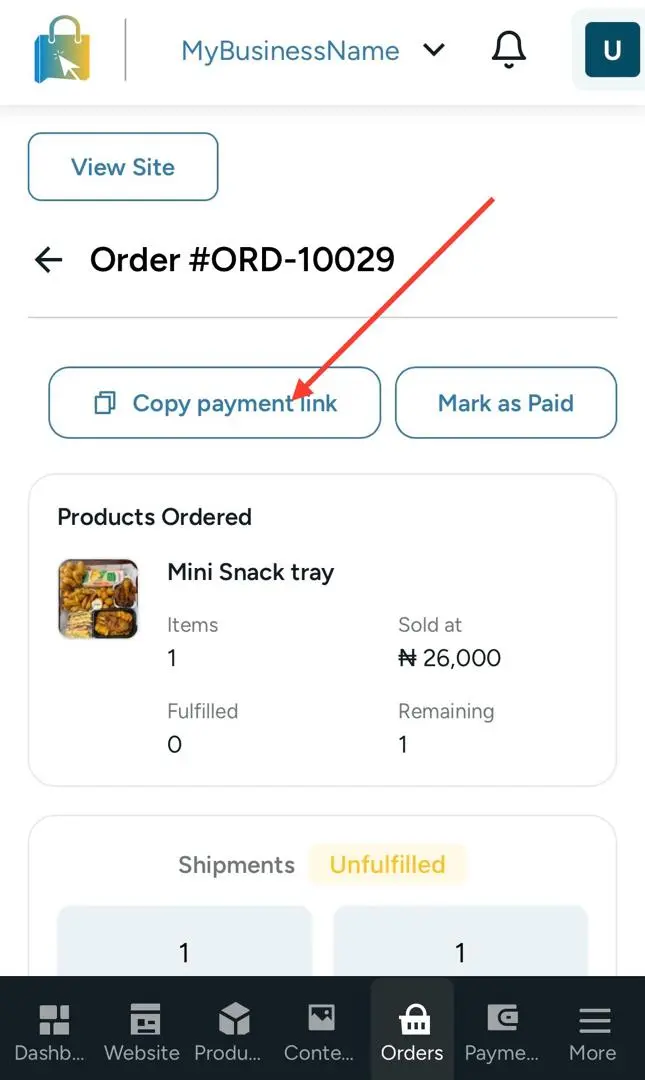
Create the order and share payment details if the customer still needs to pay.